
CAD software for cabling
and electrical octopus.

SchemUNIF
La CAO appliquée aux Etudes de câblage Tertiaire, Bâtiment et Pieuvre électrique
SchemUNIF is CAD/CAM software used for electrical installation surveys and the creation of single-line diagrams.
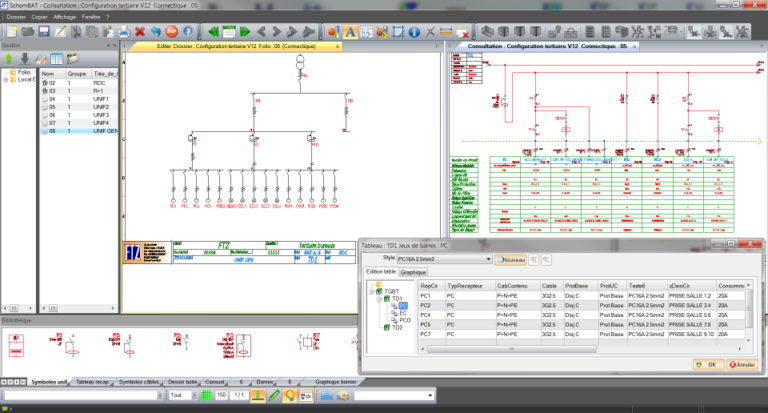
Schéma unifilaire 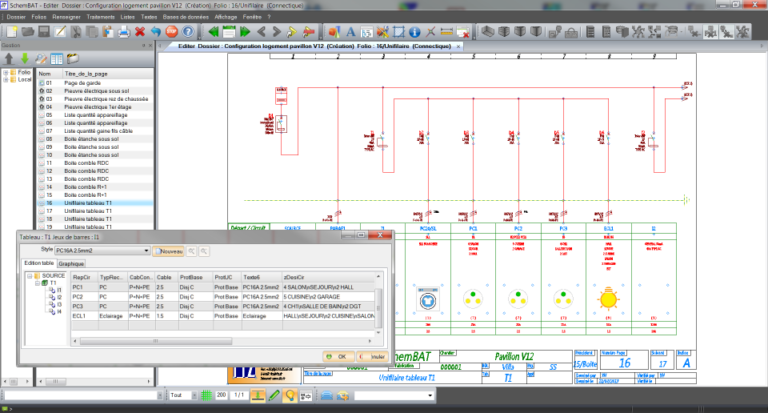
Pieuvre logement
-
Editeur de circuits
- Schémas unifilaire
- Environnement ouvert
A partir d’un éditeur dédié de création de circuits, vous définissez ou vous réalisez le relevé rapide de l’arborescence de vos installations. Vous intégrez également les différents tableaux et jeux de barres.
Ensuite, vous sélectionnez dans un menu déroulant les circuits pré-établis correspondant à vos tableaux (luminaires, prises, moteurs,…).
Les caractéristiques des différents circuits sont entièrement personnalisables (repère, descriptif, puissance, protection, différentiel,…).
Ce relevé s’affiche avec le tableur intégré ou graphiquement sous la forme d’un unifilaire général.
A partir des données tableur, le logiciel crée automatiquement les schémas unifilaires ou multifilaires dans des folios de schématique avec gestion automatique des renvois de folios.
Vous pouvez également compléter votre dossier par des folios spécifiques de schémas à partir de symboles élémentaires (disjoncteur, sectionneur, moteur, …) ou par des assemblages prédéfinis.
Chaque symbole peut être associé à une ou plusieurs références de composants ou de câbles définis dans une base de données. Vous pouvez ensuite extraire les nomenclatures et les listes de câbles.
SchemUNIF s’intègre parfaitement dans les logiciels SchemBAT ou SchemELECT pour la mise en borniers mais aussi pour la réalisation des folios d’armoire.
Les dossiers sont fournis aux formats DXF, DWG, PDF.
The software in detail
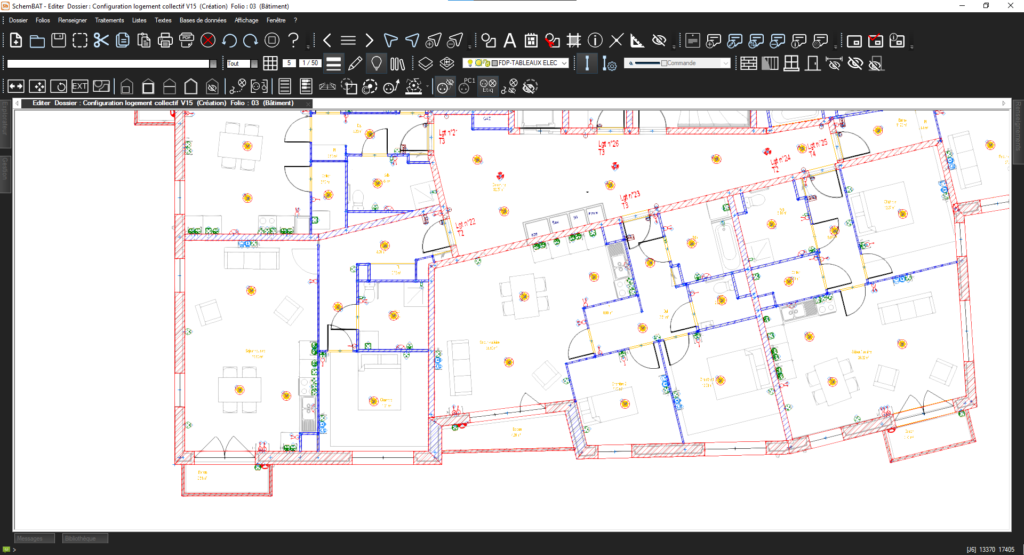
Implantation and identification
SchemBAT facilitates the installation of electrical equipment with a customisable solution. Architectural plans in AutoCAD™, BIM, etc. format…
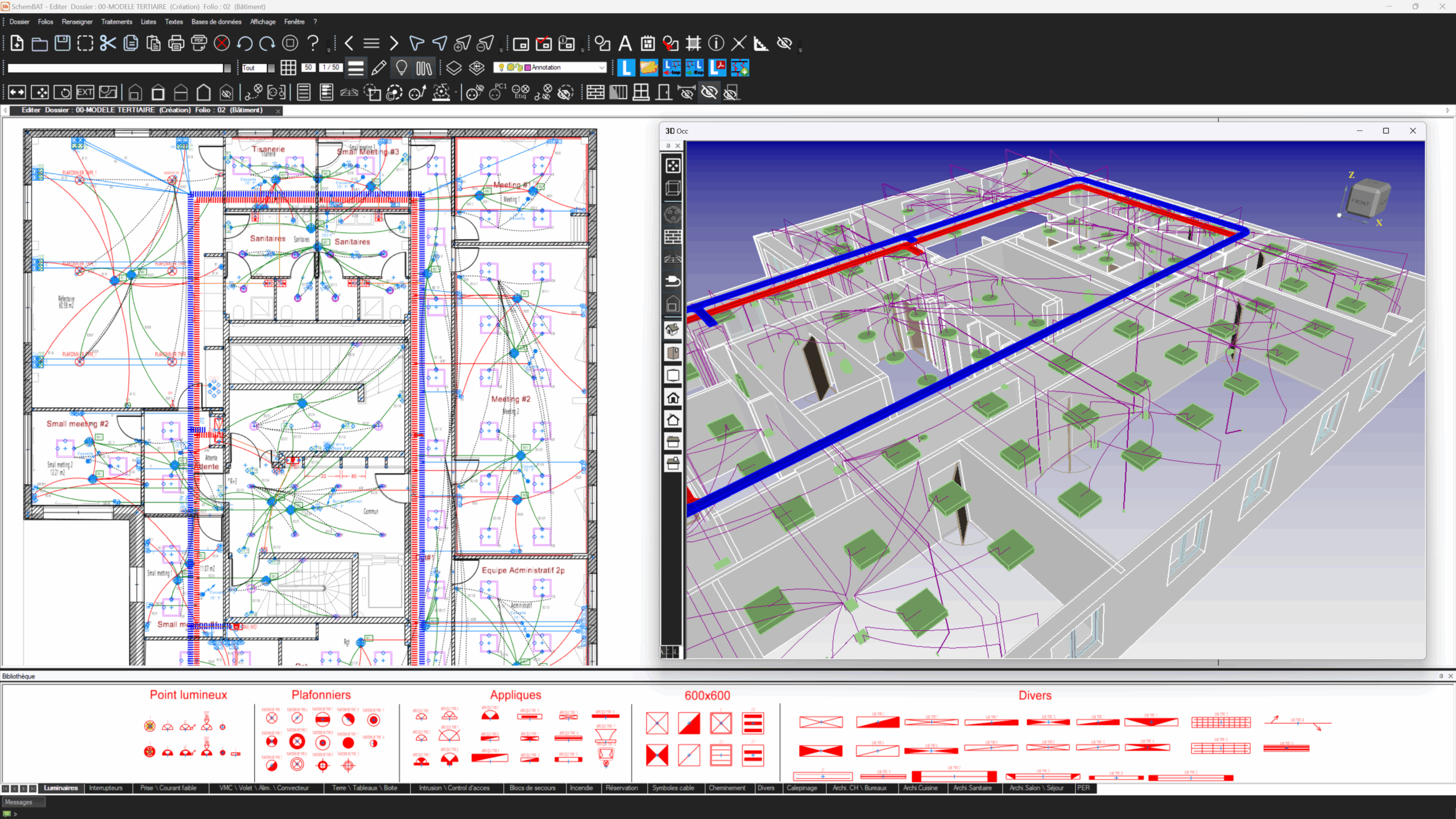
Wiring
With SchemBAT, you benefit from design features tailored to the needs of the commercial and residential sectors…
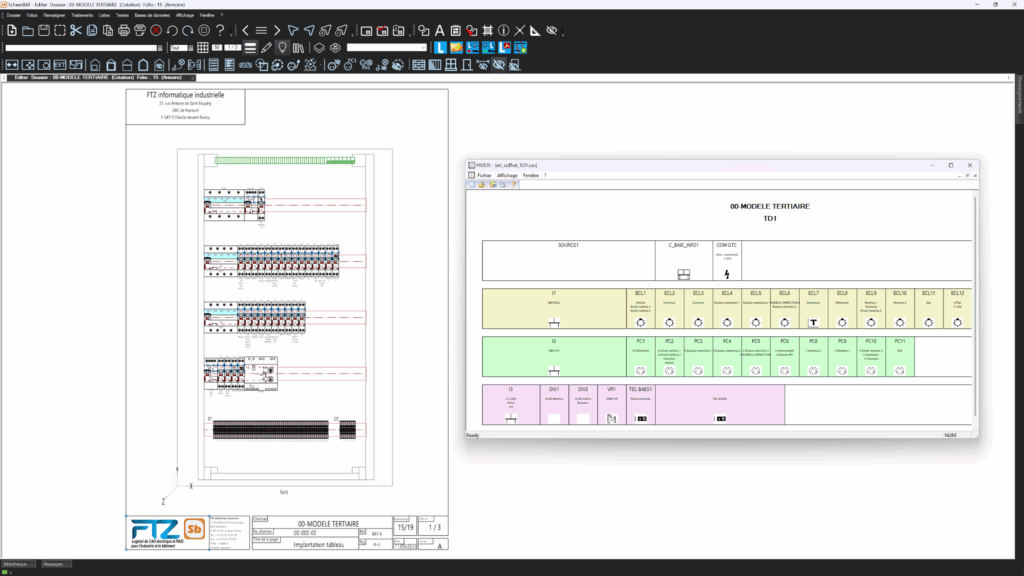
Cabinet installation
SchemBAT offers complete cabinet integration, taking into account major suppliers such as Legrand, Schneider, and Hager.
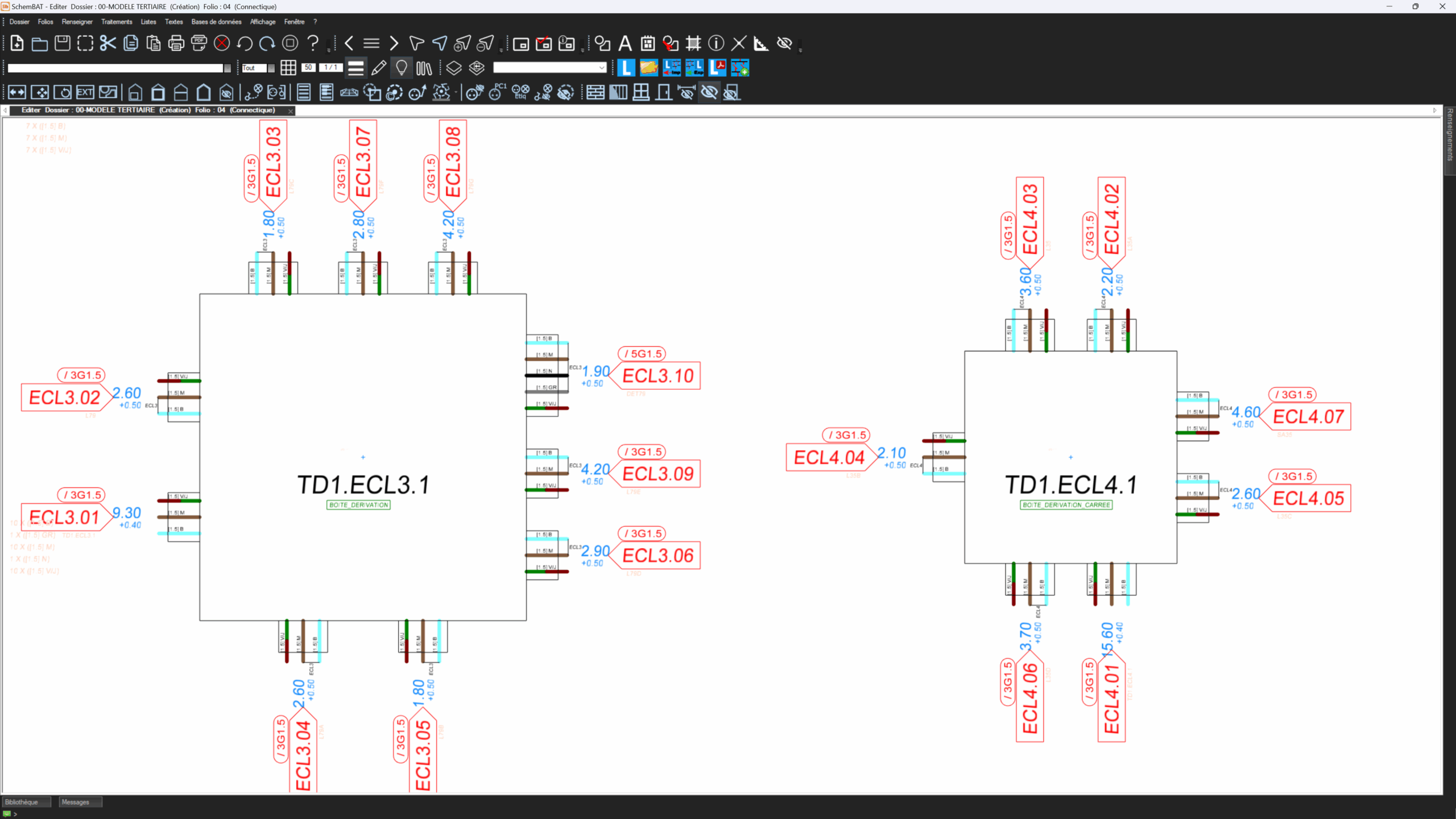
Workshop
The placement of centre pots on the SchemBAT software facilitates the wiring of octopus boxes. Centre pots are detailed drawings…
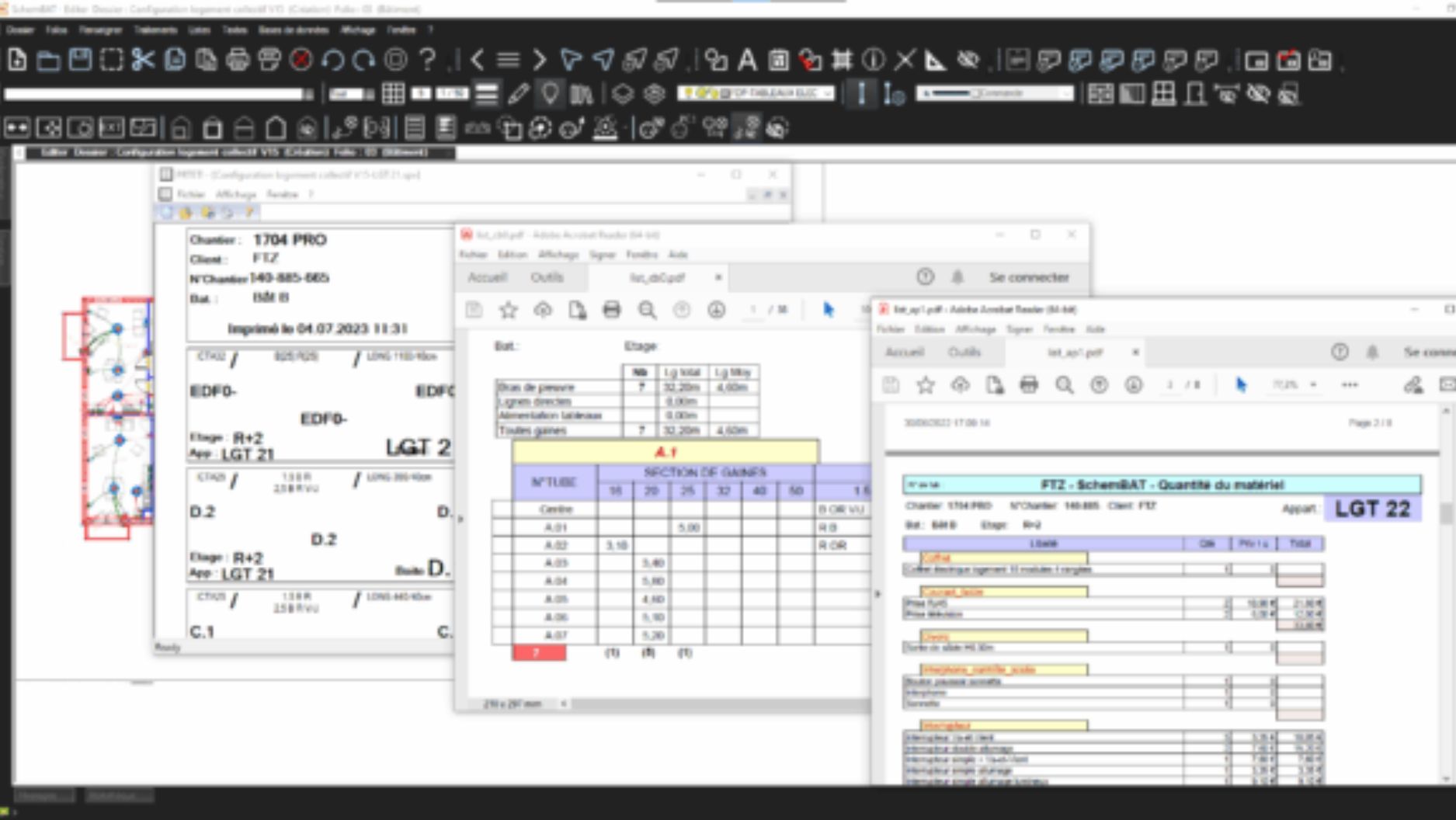
List
With SchemBAT, create customisable lists for quotes, purchases or projects: devices, routing, outlets, cables, terminal blocks, connectors, etc.

What our customers say


The answers to your questions
Is SchemBAT designed for design offices ?
SchemBAT is designed for design offices, octopus manufacturers and electrical installers alike.SchemBAT is designed for design offices, octopus manufacturers and electrical installers alike.SchemBAT is designed for design offices, octopus manufacturers and electrical
What types of building can SchemBAT be used for ?
SchemBAT is suitable for all types of building: factories, offices, collective housing, detached houses, modular buildings, shopping centres, public buildings, infrastructure (tunnels, locks, dams) and tertiary buildings (schools, nursing homes, hospitals, etc.).
Can SchemBAT automatically calculate the total power attached to a circuit ?
By assigning the various loads to circuits, SchemBAT calculates the total power per circuit, busbar and switchboard.
Is SchemBAT suitable for electrical renovation ?
SchemBAT’s advanced parameterisation makes it possible to handle electrical refurbishment as well as new-build work with precision, by defining the points at which electrical conduits are to pass and their elevations.
Can SchemBAT be used without training ?
SchemBAT is a professional software package that is easy to use. However, to use it effectively and optimally, it is best to follow a training course provided by an approved FTZ training centre.
Can SchemBAT also be used to design the home automation octopus ?
Automatic home automation wiring is available in SchemBAT, for example with the KNX™ protocol for ‘Smart Building’ and ‘Smart Home’. Some devices commonly used in home automation (MyHome™) can also be wired automatically. You can also use other protocols and customise the symbolism.
Is SchemBAT compatible with AutoCAD™ or Revit™ ?
SchemBAT reads and writes in DWG format. SchemBAT’s BIM module interfaces with the models, both through its add-on functions for Revit™ and via openBIM in IFC format. It supplies the model with high and low voltage electrical elements.
Can single-line diagrams be generated automatically from wiring diagram data ?
Single or multi-wire diagrams are generated or updated automatically.
Can multi-wire diagrams be generated with SchemBAT ?
Yes, the diagram can be generated automatically in multi-wire mode.
Can SchemBAT be used to produce control diagrams ?
SchemBAT provides a library of electrical symbols for creating customised diagrams: control, automation, terminal blocks, etc.
Does SchemBAT include a home automation library ?
Symbols are dedicated to home automation. If required, SchemBAT can be used to customise specific symbols.
Can the cable book be extracted from a SchemBAT study ?
SchemBAT generates customisable lists of cables (or sheaths and wires), which can be classified by marker and quantity, particularly for disbursement purposes.
Do we need AutoCAD™ with SchemBAT ?
SchemBAT is a standalone CAD program that reads and writes in DWG format. Its advanced drawing functions manage layers and blocks, and allow you to create free-form drawings, such as a building, for example.
Do we need Revit™ with SchemBAT ?
SchemBAT’s FTZ-BIM module makes it possible to dispense with Revit™ if required. The model is then completed with electrical information in openBIM IFC format. For projects under Revit™, the ‘add-on’ functions must be used.
Does SchemBAT manage buildings in 3D ?
SchemBAT displays switchgear, wiring and cable trays in 3D, even if the original plan is in 2D and without BIM.
What supplier databases are integrated into SchemBAT ?
SchemBAT integrates generic databases as well as those of common suppliers. You can also easily add specific devices or components to these databases.
Can SchemBAT data be in openBIM (IFC format) ?
As part of the BIM module, SchemBAT provides electrical data in IFC format (openBIM) for switchgear, cables, boxes, panels and raceways.
contact us